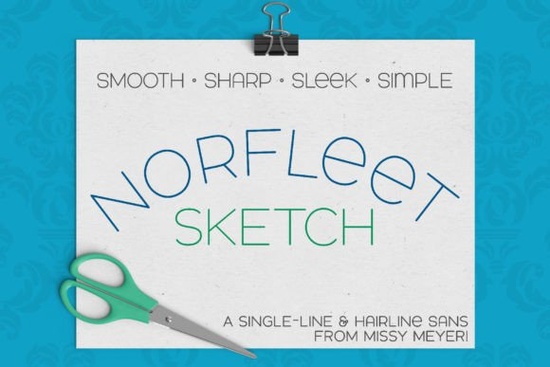
Looking for a clean, modern font that works well in design software and crafting tools? The Norfleet Sketch (single Line) Font is a great choice for designers, crafters, and small business owners. This single-line sans-serif font is designed to be simple yet elegant, with smooth curves and minimal nodes that make it easy to work with in various programs.
The Norfleet Sketch font comes in two versions: Norfleet Sketch One and Norfleet Sketch Two. Norfleet Sketch One is a true single-line font, created from a single stroke. It’s ideal for use in specialized programs like Rhinoceros, but you may need some experience with vector design software to adjust the strokes as needed. If you’re looking for something more straightforward, Norfleet Sketch Two is a hairline font where the strokes are so thin they appear almost invisible. This version is perfect for most design and crafting programs, including Silhouette Studio, Cricut Design Space, Adobe Illustrator, and more.
It’s important to note that single-line and hairline fonts aren’t meant for traditional word processing or printing. Instead, they’re designed for use with tools like sketch pens, foil quills, engraving tools, or infusible ink pens. These fonts work best with styluses or nibs that draw letters with a single line rather than an outline. If you're using Brother Canvas Workspace, keep in mind that there may be compatibility issues with single-line fonts.
If you're unsure which version of the Norfleet Sketch font is right for you, check out the PDF guide included in your download. This guide provides helpful tips on selecting the right font and using it in specific programs. Whether you're working on a custom design, a print-on-demand project, or a creative hobby, the Norfleet Sketch font can help you achieve a polished, professional look.
Why Choose Norfleet Sketch?
The Norfleet Sketch font stands out for its simplicity and versatility. Its clean, sharp lines make it easy to pair with other fonts, allowing you to create cohesive designs without compromising style. The font’s modern wide stance gives it a contemporary feel, while the minimal nodes ensure it remains uncluttered and easy to read.
For those who prefer a double-uppercase font, the Norfleet Sketch offers some variation in the lowercase set, such as a round-topped A and a lowercase-style e. This subtle detail adds character without overwhelming the overall design. Whether you're using it on its own or combining it with other fonts, the Norfleet Sketch font delivers a refined, professional appearance.
How to Use Norfleet Sketch in Different Programs
Using the Norfleet Sketch font depends on the software you're working with. For example, if you're using Adobe Illustrator or Inkscape, you can easily import and adjust the font to fit your needs. If you're working with a CNC machine or a specialty program like Rhinoceros, the single-line version may require some additional setup to ensure the strokes connect properly.
On the other hand, the hairline version of the Norfleet Sketch font is more user-friendly for most design and crafting programs. You can type directly into the software without needing to make adjustments. This makes it a great option for beginners or those who want a hassle-free experience.
For more detailed instructions on how to use the Norfleet Sketch font in specific programs, refer to the PDF guide provided with your download. This resource includes helpful tips and troubleshooting advice to ensure you get the most out of your font.
Related Fonts to Explore
If you’re interested in similar fonts, you might also enjoy exploring other options from Creative Fabrica. Some popular choices include:
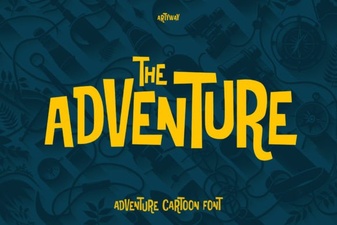
- Adventure Font – A bold, adventurous sans-serif perfect for branding and logos.
- Bourgueil Font – A stylish, modern font ideal for web and print projects.
- Minimalist Font – A clean, simple design that works well in a variety of contexts.
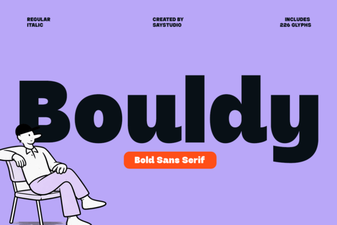
- Bouldy Font – A strong, geometric sans-serif with a distinctive look.
Each of these fonts offers unique features and benefits, making them great alternatives depending on your design needs.
If you’re looking for more information about the Norfleet Sketch (single Line) Font, you can visit the Norfleet Sketch Single Line Font page on Creative Fabrica. This resource provides additional details and examples to help you decide if this font is right for your next project.
Before purchasing, make sure to test the font in your preferred software to ensure compatibility. If you have any questions or need further assistance, don’t hesitate to reach out to the designer or check the support resources available.
Whether you're a designer, crafter, or small business owner, the Norfleet Sketch font can help you create beautiful, professional-looking designs with ease. Try it today and see how it enhances your creative workflow.
Try It Free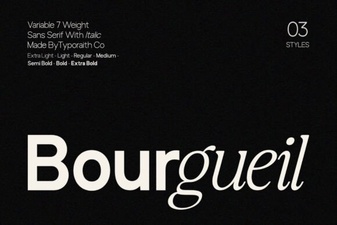 Bourgueil Font Design Trends and Creative Uses
 Adventure Font for Bold Design and Creative Projects
 Bouldy Font Design Trends and Creative Uses
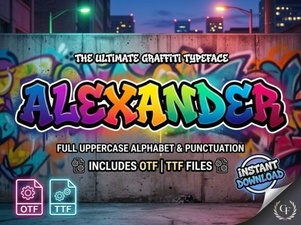 Alexander Font Design Trends 2024
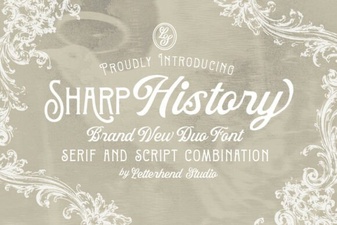 Sharp History Font for Unique Design Projects
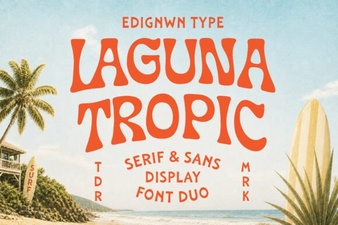 Laguna Tropic Font Design Ideas and Uses